WorkSpaceSetUp

Windows form project github

WorkSpaceSetUp

A Windows-form project that sets up your desired work space, for work or for relaxing. So that you don’t have to open each file or folder one by one.

Why?

This project was created to learn .NET, Windows-form and unit testing. This also included showing and learning new techniques from C# and .NET. Which means that some classes are done differently not because I did not know how, but rather because it has been done already in the project and I wanted to focus on learning and applying a new skill.

What?

In a plain manner this project uses a container and gives you the option to save paths, name those groups of paths and save it on a JSON file. When clicking on the group name, all the path files and folders open.
MVVM structure

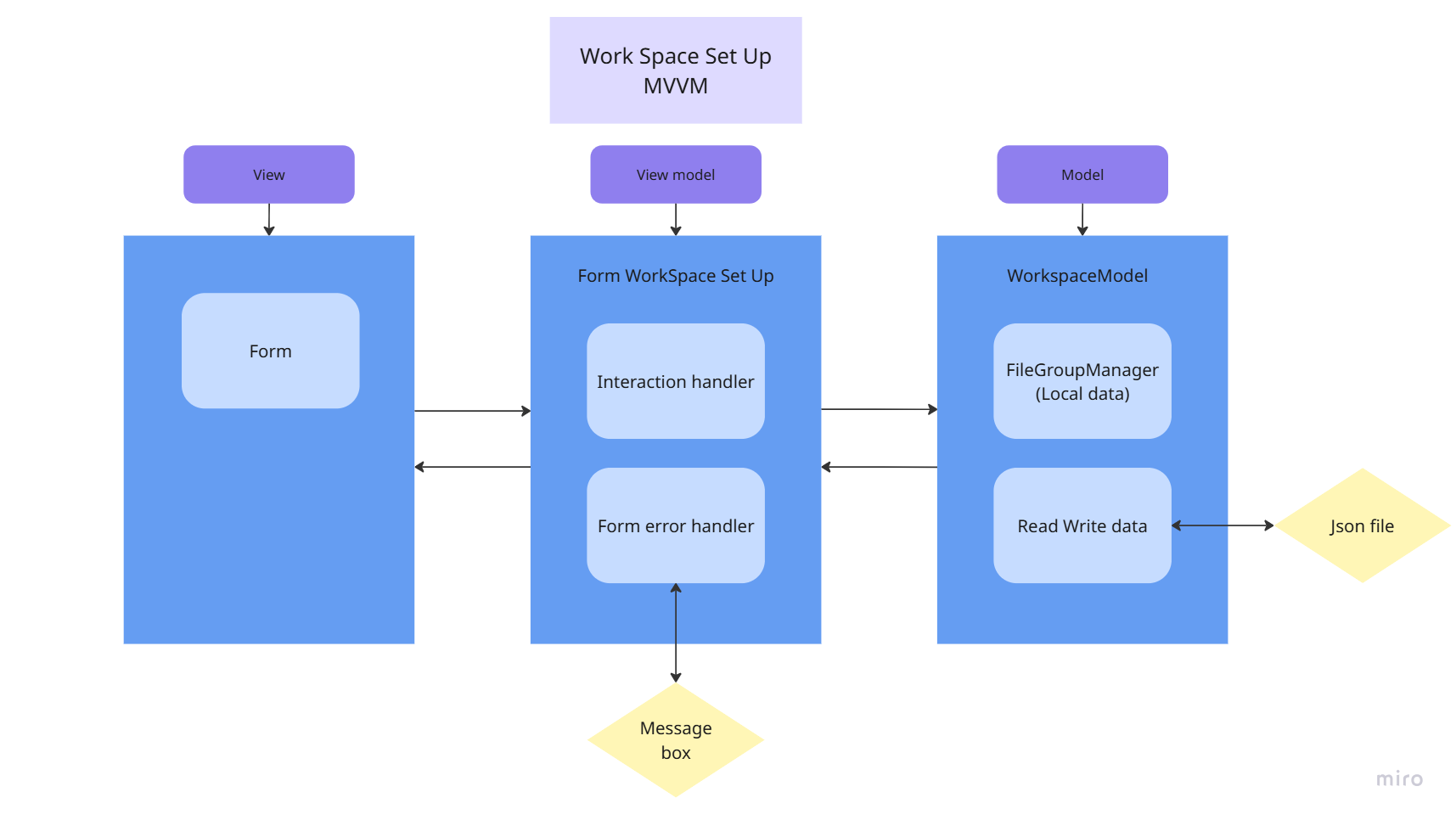
MVVM structure

On this project I did my best to apply the MVVM structure. The reason why I choose MVVM pattern rather than any other is due to its separation and to give a clearer view on how to do unit testing. Because this is my first project that I applied unit testing in. this also helped in unit testing.

MVVM structure

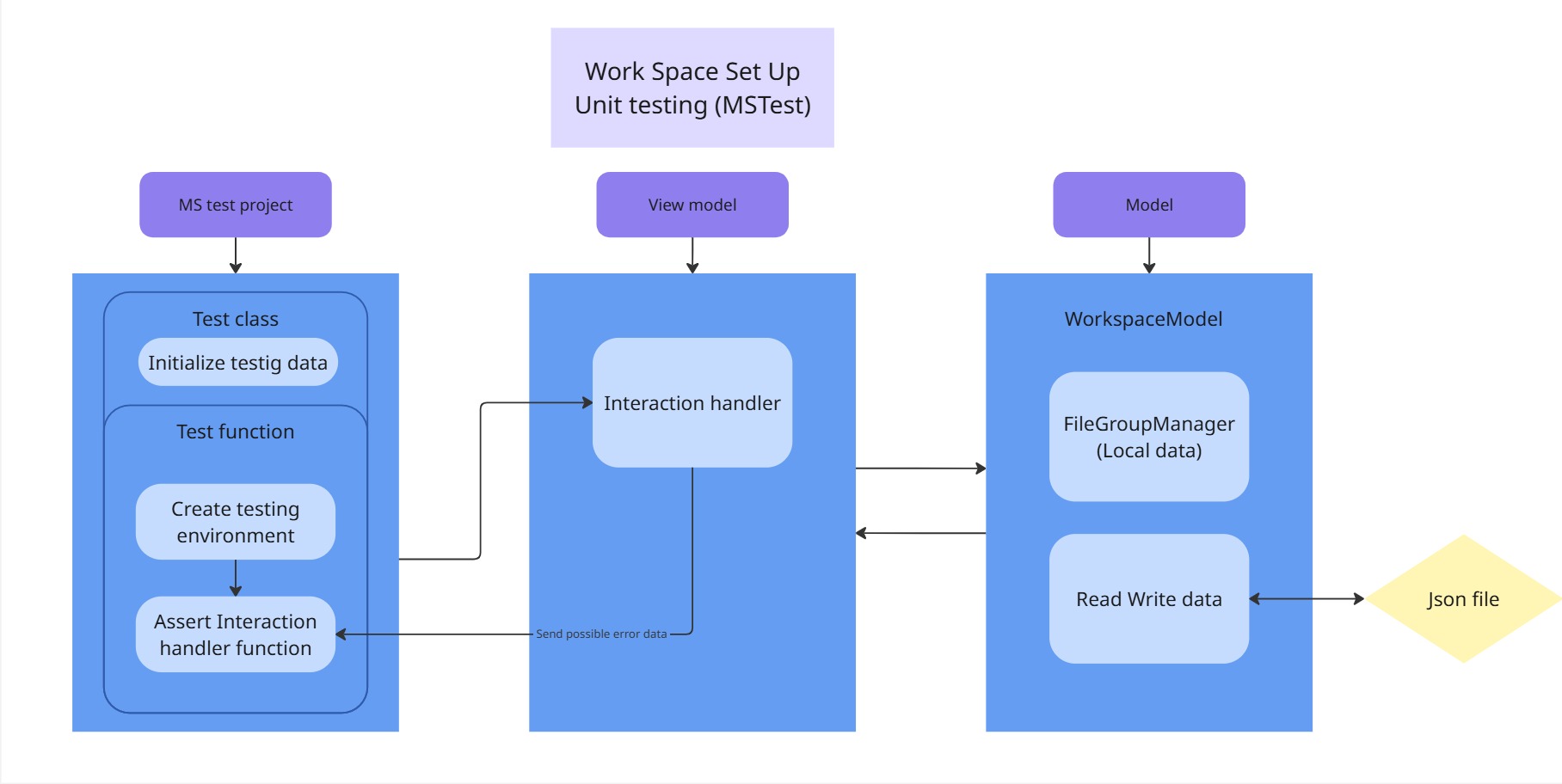
Unit testing

My first time unit testing was a bit complex due to the project using Windows-form, all the testing was done through the view-model (InteractionHandler class). So that I can test as accurately as I can. This way I also avoided interacting with the error handler, so that no message boxes would pop up.

MVVM structure

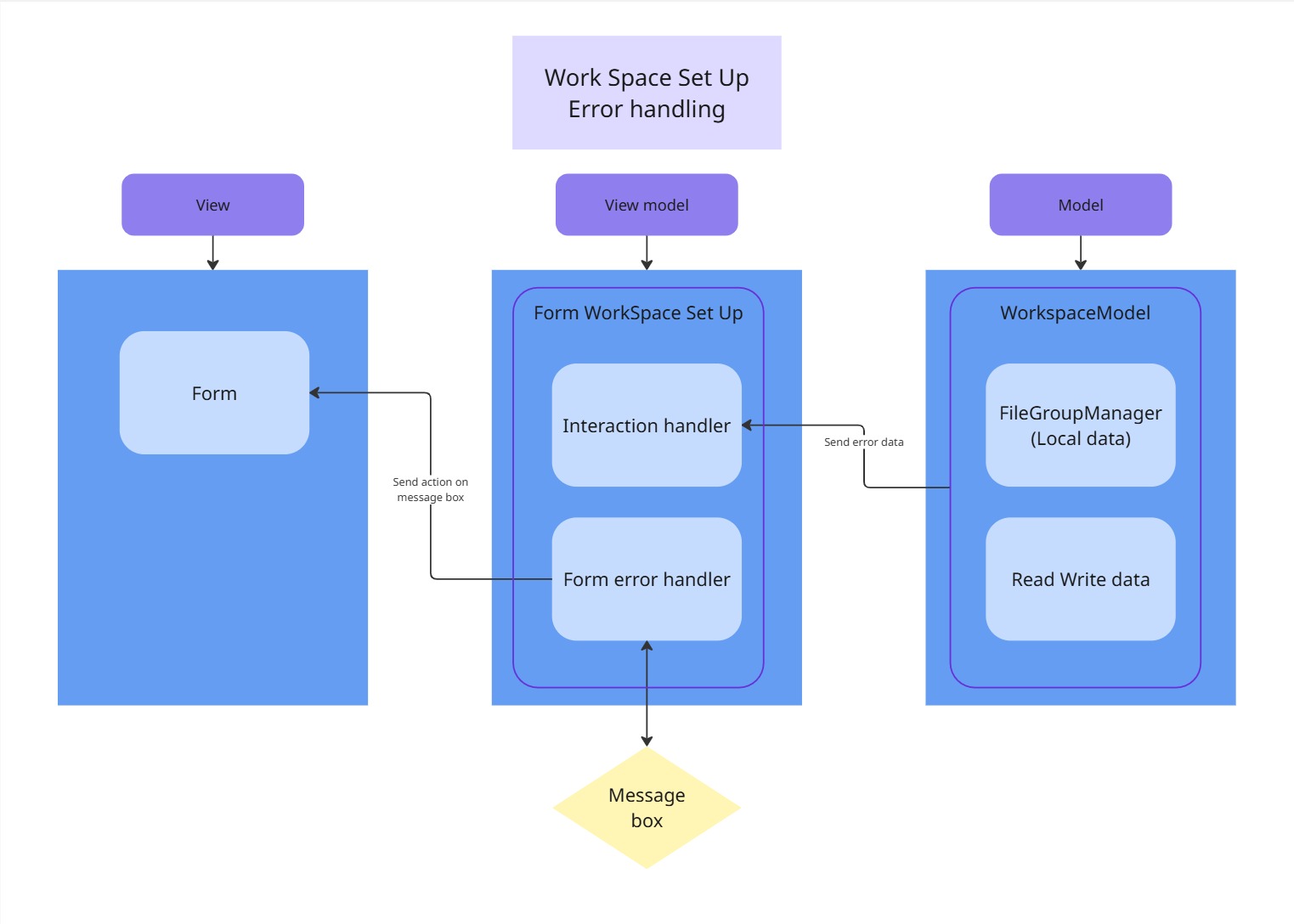
Error handling

Error handling was unique in this project and I did not want it to respond incorrectly to unit testing. So I made it separate in the view-model, it looks at the returned result from the InteractionHandler and handles it when an error has occurred. So that it can give the user information on what happened and gives them the ability to act upon it.

Folder structure

I separated each folder, by purpose of the MVVM pattern.

- View folder: This is where the Windows Form is, so the UI, the events get attached to the ViewMdodel and the error handling takes place.

- ViewModel folder: It is the glue that uses the model data to interact and act accordingly to the view request, while separating the model from the view.

- Model folder: The model is the local data, file data, and logic of the purpose of the application under the hood, that can be influenced by the view-model

- Error handling folder: This folder has two purposes: to receive data of a potential error or issue that occurred in the application and give the user multiple options to act upon it.

Extra info

In the FileGroup and FileGroupManager class, I added a unique way of using a container and sorting it. This was to learn new techniques and use more algorithms.

Version and packages

- This windows form project is using version .NET 9

- Package Newtonsoft.Json version 13.0.3

- Package Microsoft.NET.Test.Sdk version 17.12.0

- Package MSTest version 3.6.4

- Package MSTest.TestAdapter version 3.6.4

- Package MSTest.TestFramework version 3.6.4

- Package Microsoft.CodeCoverage version 17.14.1

Contact

Email Itch LinkedIn